Product Groups


Product Groups
This option is used to manage product groups for your Stock / Products sections. You can view the list of existing groups, add new groups and edit and delete existing groups. Product Groups are used to categorise your stock items / products for reporting and lookup purposes.
To access this option select Records > Product Groups from the main menu or click the Groups button in the Stock / Product section.
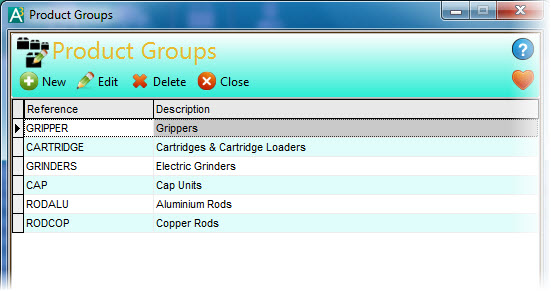
Click the New button to add a new product group.
Click the Edit button to edit an existing product group.
Click Delete to remove an existing product group.
If you select to add a New product group or to Edit an existing group you will be shown a window where you can enter or amend the details.

If you are entering a new product group you will need to give it a unique reference which you enter into the Product Group Reference box. The reference you give your new product group can be up to 10 characters.
You can enter a description for your product group of up to 60 characters.
Once entered you can click Save or Save & Close to save the product group or click Close.
Assigning Stock Items / Products To Product Groups
To assign individual items / products into product groups you can use the Stock Details option. If you want to add multiple items / products into product groups in one process you can use the Multi-Edit option. See the Multi-Edit Stock page for more information.